
Browse Guides and Sections
Start Here
Card Groups
References
NFC Utils Guide
NTAG 424 DNA
Configure keys, Secure Dynamic Messaging, and file access on NTAG 424 DNA. The TagTamper variant adds its own Check and Enable controls. Decode SDM URL also works offline.
Overview
The NTAG 424 DNA is a small file system with five keys guarding it. The NDEF message lives in file 02. Every setting on this page is a property of that file or of the keys, and every change happens inside an EV2 secure messaging session the app opens with one of the keys.
Choose NTAG 424 DNA or NTAG 424 DNA TagTamper. Both have inspection, NDEF, Keys, SDM, and access tools. The TagTamper row appears only on the matching variant. Other DESFire and Plus cards use their inspection profiles.
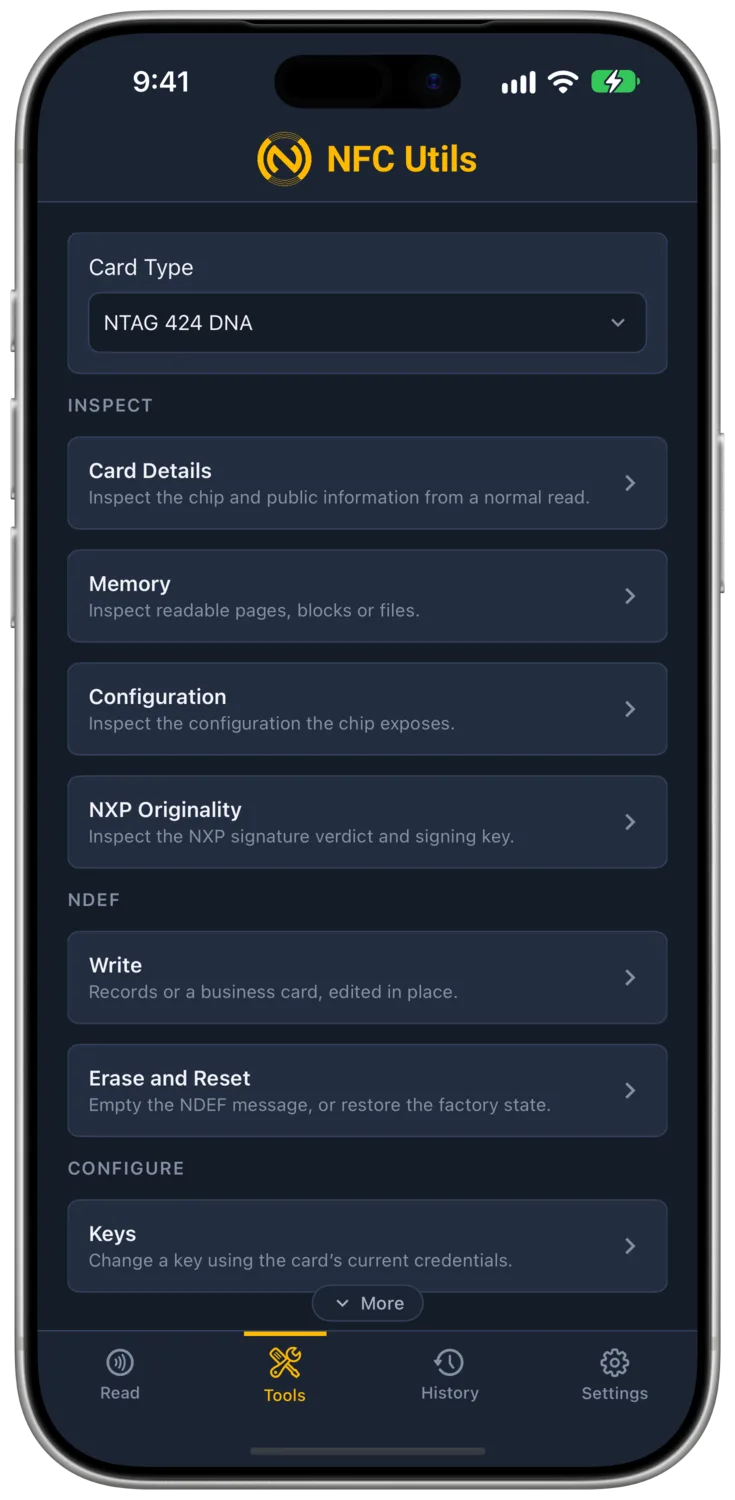
Keys
- What It Is
- Five slots, key 0 to key 4, 32 hex digits each. Key 0 is the master. The other four are used by whichever rights and features point at them.
- What Changing It Does
- Nothing visible on a phone. It changes who can open the sessions that use that slot.
- What It Needs
- Key 0, always. Changing keys 1 to 4 also needs their current value in the fields, because the chip takes the new key masked with the old one.
- Undo
- Change it back, or Factory Reset, both with key 0. A lost key 0 leaves the card exactly as it is forever, and nothing in this app recovers it.
Current Keys
The Keys page holds Key 0 to Key 4, starting at the factory zeros, and a Factory Keys action puts them back. Every job uses exactly what these fields hold, and nothing overrides them. The key vault feeds them rather than replacing them. Reading a tag this app has keys for fills the fields, a successful change updates them, and a factory reset zeroes them.
Check
Check authenticates with each current key and reports Accepted or Rejected per key, changing nothing. A tag lifted early reads Failed for the key in progress and Not Checked for the rest.
Change
Change picks a key number and takes a new 32-digit value, typed or generated. Check first, then change. Changing key 0 to a value you then lose leaves the tag configured as it is forever; the app cannot recover it.

Secure Dynamic Messaging
With Secure Dynamic Messaging on, the chip rewrites parts of the URL on every read. The fields below decide which parts.
| Field | Meaning |
|---|---|
| Base URL | The page the tag opens. The app appends the mirrored fields as query parameters in the desk encoder's layout. |
| Encrypted PICC Data | The UID and counter travel encrypted under the PICC Data Key instead of in plain text. On, it replaces the two plain mirrors. |
| UID in the URL, Read Counter in the URL | Plain-text mirrors of the UID and the read counter. |
| CMAC | Signs the mirrored fields under the CMAC Key so a server can reject copies. |
| Encrypted Data in the URL | A 32 or 64 character placeholder, enc={enc}, whose first half holds up to 16 or 32 bytes of plaintext in the file. The chip replaces the whole placeholder with ciphertext on every unauthenticated read. Needs the CMAC on and the UID and counter in the URL. The Encrypted Data section below covers it. |
| Read Counter Limit | Optional. Once the counter reaches it the chip refuses every unauthenticated read of the file, so phones open nothing, and the Read tab names the limit when that happens. Raising or removing it restores reads; the counter does not reset. |
| Custom Template | Optional. A full URL with {uid}, {counter}, {cmac} and {picc} placeholders when the default layout does not fit. {picc} cannot be combined with {uid} or {counter}. |
The monospace line under the fields previews the URL with placeholder letters.
- What It Is
- UID in the URL puts the serial in, Read Counter in the URL puts the tap count in, and CMAC adds a signature computed with a key so a server can tell a real tap from a copied link. Encrypted PICC Data replaces the plain UID and counter with one encrypted block only the key holder can open.
- What Changing It Does
- Every tap opens a different URL. The offsets in the result card are where in the file the chip writes the live values. While the counter sits at or past a Read Counter Limit, the chip also refuses every settings change that keeps that limit, Access Rights included, so raising or removing the limit here has to come first.
- What It Needs
- The Change Settings key, and the CMAC or PICC key you pick must exist on the card. Apply also sets Write to Key 0.
- Undo
- Disable, which leaves the message and the rights as they are.
Apply and Disable
Apply SDM writes the NDEF and sets the file settings. After it the file reads freely and needs key 0 to write or change. Disable turns mirroring off and keeps whatever rights are set under Access Rights.

Encrypted Data
Encrypted Data in the URL is a stretch of the URL, 32 or 64 characters, that the chip encrypts on every unauthenticated read. The plaintext you type, up to 16 or 32 bytes, lives in the first half of that stretch in the file. Readers never see it. They see the ciphertext, which changes on every tap because the counter feeds the encryption.
Which Key
The chip derives the encryption key from the CMAC key together with the UID and the read counter. It is not a separate choice, so whichever key signs the CMAC also encrypts the data, and the feature needs the CMAC on and the UID and counter in the URL.
Updating It
The plaintext is ordinary file data, so it changes by writing that stretch of the file with the Write right, key 0 on a card set up here.
Reading It
The Full Scan shows the ciphertext, and when the Keys page holds the CMAC key it shows the plaintext beneath.
Hiding It
The blob cannot be left out of the URL, but it can be disguised. Name the parameter anything in the Custom Template, put it in a path segment, or turn Encrypted PICC Data on beside it so the URL carries two look-alike hex blobs. Put {cmacStart} before it and the CMAC signs the ciphertext too.
What It Is Not
It is not a smart card. A secure-element card runs its own applet with a PIN and a challenge-response. The 424 protects a small static payload from casual readers and does nothing more.

Access Rights
Four pickers on the NDEF file, each Free (0xE), Key 0 to Key 4, or Never (0xF). Change Settings set to Never makes the file settings permanent. Other rights can still change while Change Settings permits it.
- ReadWho may read the message. Free is what every phone needs, and a key here hides the message from phones.
- WriteWho may overwrite the message. Free on a fresh card, and Apply SDM sets it to Key 0 so nobody can clobber the mirror.
- Read and WriteA second key onto the same file. A read is allowed when Read or Read and Write is satisfied, and a write when Write or Read and Write is satisfied.
- Change SettingsWho may change these four rights and the SDM layout. Key 0 on a fresh card, and the one that matters for locking.
- What It Is
- Four permissions on the NDEF file, each Free, a key, or Never.
- What Changing It Does
- "Apply Access Rights" rewrites the file settings with the current SDM state untouched. Each slot you open or close changes who can read, write or reconfigure the file afterwards.
- What It Needs
- The key currently named by Change Settings. The page shows that key at the top so the value it will use is in view.
- Undo
- Apply new rights, as long as Change Settings is not Never.
Write Versus Read and Write
Write and Read and Write are two independent slots that both cover writing, and the chip checks them with OR. A write goes through if either slot is satisfied. The same holds for reading with Read and Read and Write. Read and Write is a slot for one key that owns the file outright, while Read stays Free for phones and Write stays closed. To close writing, close both slots.
| Write | Read and Write | Who Can Write |
|---|---|---|
| Free (0xE) | Anything | Anyone. |
| Key 0 | Free (0xE) | Anyone, because the second slot is open. |
| Key 0 | Key 0 | Key 0 only. |
| Key 0 | Key 1 | Key 0 or key 1. |
| Never (0xF) | Key 0 | Key 0 only, through the second slot. |
| Never (0xF) | Never (0xF) | Nobody, ever. |
The Info card shows all four rights in one row on a 424. Straight after Apply SDM it reads Read E · Write 0 · RW 0 · Change 0.

Locking a 424
There is no lock command on the 424. A card becomes permanent when a right is set to Never, and which right you choose decides what is frozen. Do this on the card you mean to keep as it is.
| You Want | Set | Afterwards |
|---|---|---|
| The SDM layout and rights fixed, the message still live | Change Settings to Never (0xF) | Reads and SDM keep working. Writes follow the Write right as it stands. Keys can still change with key 0. Access Rights, Disable SDM and Factory Reset are refused. This is the production lock for an SDM tag. |
| The message fixed too | Write to Never (0xF), Read and Write to Never (0xF), Change Settings to Never (0xF), all in one Apply | The file is read only for good. Keys can still change. |
| The message hidden from phones for good | Read to Never (0xF) with Change Settings to Never (0xF) | No phone opens anything. Only a reader with the file read key sees the data. Rarely what anyone wants. |
| Nothing permanent yet | Write to Key 0, Change Settings to Key 0 | Looks locked to a phone, and you can still change everything with key 0. Apply SDM already leaves the card in this state. |
A right set to Never while Change Settings is still open is not a lock. Change Settings is the padlock, and the other three are what it padlocks.
The Way the Mint Locks a Card
The NFC Mint encoder finishes every minted card with Read Free, Write Never, Read and Write Never, Change Settings Never, the CMAC on key 1, and counter retrieval at Never. Reads and Secure Dynamic Messaging then work forever, nobody can write the file, nobody can change the layout, and the keys stay changeable through key 0, which is the one thing the mint keeps for itself. The same state takes two steps in the app.
- Step 1: Secure Dynamic MessagingConfigure with the CMAC key you want and the limit field blank, then Apply. This also sets Write and Read and Write to Key 0.
- Step 2: Access RightsRead Free (0xE), Write Never (0xF), Read and Write Never (0xF), Change Settings Never (0xF). Apply, then continue past the modal that says it cannot be undone.
The Info card then reads Read E · Write F · RW F · Change F. Apply Access Rights, Disable SDM and Factory Reset are refused from then on, and the card still reads and its URL still changes on every tap.

Decode SDM URL
- What It Is
- The server's side of an SDM link, done on the phone. Take a URL, find the fields the chip filled in, decrypt what is encrypted, and check the signature. It needs no tag in the field. Paste any URL, or press Use Last Read to take the one from the last 424 read.
- What Changing It Does
- Decode reports the UID and counter, plain or recovered from the PICC data, the decrypted text, the tamper seal, and CMAC Valid or Invalid with the expected value when it fails. A CMAC that does not match means the link was altered, copied from another tag, or signed with a different key.
- What It Needs
- The CMAC key, which also decrypts the encrypted data, and the PICC data key when the URL carries encrypted PICC data. Both sit below the fields with their values inline in the shared Keys slots, and after a read of a tag with SDM on they default to the slots the tag's settings name.
- Undo
- Not a change.
How the Roles Are Guessed
The app splits the URL into its values, query parameters and hex-looking path segments alike, and guesses each one's role by its name first, then by its length. Fourteen hex characters read as the UID, 6 as the counter, 16 as the CMAC, 32 as the PICC data or encrypted data, 64 as encrypted data, and two letters as the tamper status. Each guess shows in a picker, so a URL from another encoder with its own parameter names is corrected by hand. The chip never sees the names anyway, so a URL from any encoder decodes the same once the pickers say which value is which.
CMAC Input Starts At picks where the MAC input begins, at the encrypted data when there is any, at the CMAC itself otherwise, or at the start of the URL for other layouts.

TagTamper
- What It Is
- On the NTAG 424 DNA TagTamper, a wire loop across the seal that the chip measures each time it receives power. Two values come back from GetTTStatus. Current is what the wire reads at that moment. Permanent is whether the wire has ever read open since the loop was enabled, and it only moves one way.
- What Changing It Does
- Enabling turns the loop on with SetConfiguration option 07 and picks the status key GetTTStatus will need afterwards, Free for the way the mint ships them. NFC Utils provides Check and Enable on the TagTamper profile. Check asks for the current and permanent state. Enable requires key 0 and chooses the status access key. TamperKit provides the separate activation record and checks over time.
- What It Needs
- Key 0 to enable. Free status access allows any reader to ask; a selected key requires authentication; No Access leaves only status available through configured SDM.
- Undo
- None. The loop cannot be turned off again.
Inactive, Intact, Broken
The seal verdict in NFC Utils, NFC Proof and TamperKit is the same. Intact only while both values read Closed, Broken once either has read Open, and Inactive while the loop was never enabled. A wire that was cut and reconnected reads Broken, because the chip recorded the first Open for good.
A Loop Cut Before Activation
Before enabling, the chip measures nothing, so a loop cut before activation cannot be seen and enabling does not fail because of it. The first measurement comes with the enable itself, and a loop already cut reads Broken right there. From then on the chip cannot tell a loop cut before activation from one cut after, which is why TamperKit records the state at activation.

Erase and Reset
Under NTAG 424 the row is Erase and Reset, and Format does not appear, since the 424's capability container is a fixed file built into the chip and there is nothing to write.
Erase Tag
Empties the message. Keys and rights stay. Needs Write to be Free or the key it names.
Factory Reset
Zeroes the message, restores the file's factory rights and turns SDM off, then sets every key back to zeros. Needs key 0 under Keys and the current value of any key that is not zeros. It clears the tag's vault entry and the Current Keys fields, since the keys are factory again. It cannot restore the rights on a card whose Change Settings is Never.

What Cannot Be Undone
| Action | What It Freezes |
|---|---|
| Any Right Set to Never (0xF) While Change Settings Is Never (0xF) | That right, and with Change Settings, the whole layout. |
| Losing Key 0 | Everything. No command on the chip changes a key without it. |