
Browse Guides and Sections
Start Here
Card Groups
References
NFC Utils Guide
Card Inspection
Choose the information you need from the card’s profile. Reading public data and verifying a factory signature do not unlock protected applications.
Choose an Inspection Tool
- Card DetailsShows identification and technology information returned by the card and reader.
- MemoryShows accessible memory or NDEF where the profile supports it. Protected or unsupported content remains unavailable.
- ConfigurationShows decoded settings without changing them. The row appears only on relevant profiles.
- OriginalityChecks an accessible factory signature using the NXP keys supported by the app. A recognized chip can still lack a readable or verifiable signature.
A normal read selects the profile. Open an inspection row to see the relevant result, then use Read Again for a fresh read. On Mac, the NDEF pane appears when records are available.
What Originality Proves
The app checks a readable factory signature against the NXP verification keys it supports. A recognized chip can still return an unavailable signature or a result the app cannot verify. Card identification and signature verification are separate results.
A successful check concerns the chip. It does not authenticate a transit purse, issuer account, cardholder identity, or protected application. It also does not supply the keys needed to manage that application.
Inspect Ultralight Variants
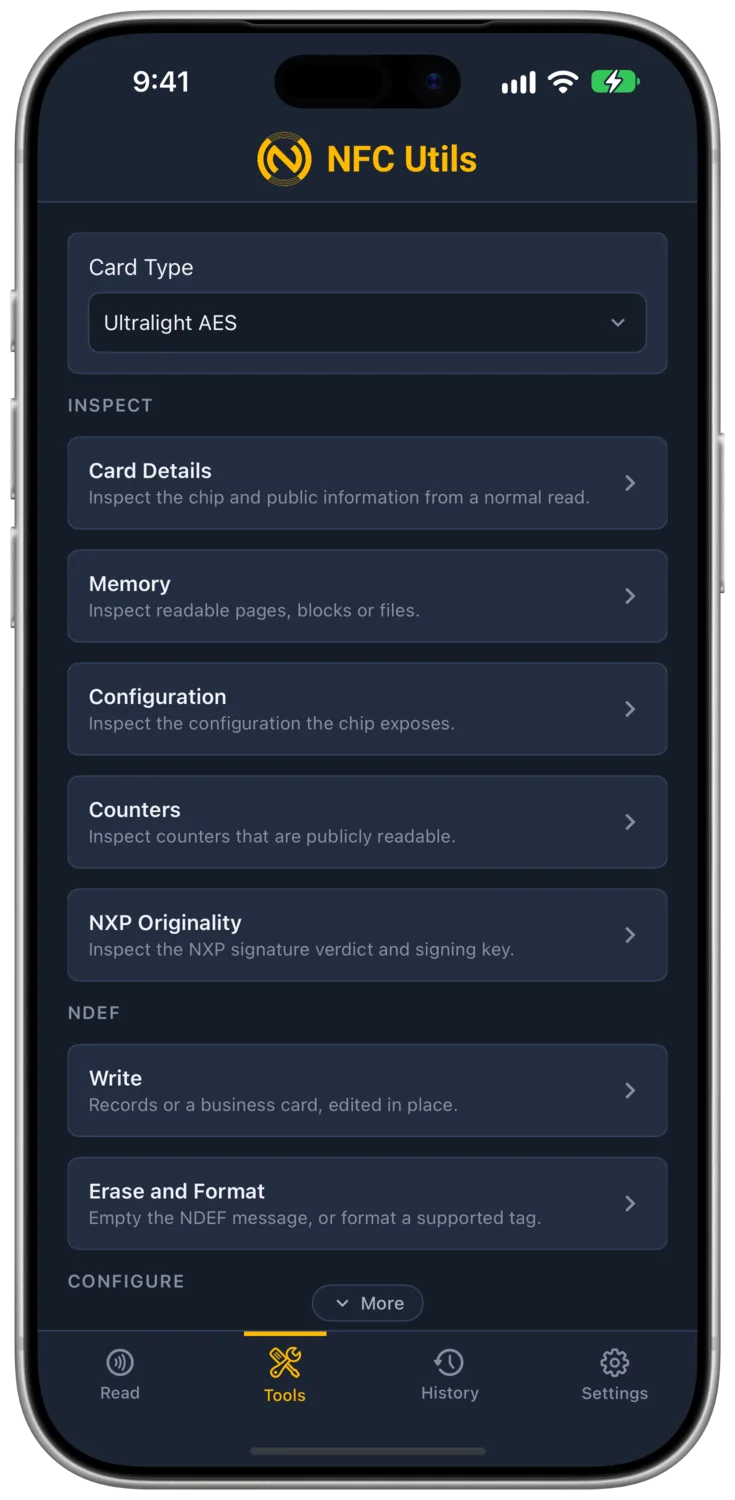
Ultralight AES provides accessible memory, decoded configuration, readable counters, and originality inspection. Its supported factory signature uses a different format from the common 32-byte Type 2 signatures. Authentication uses AES, with optional Secure Messaging. Keys changes Key 0 or Key 1, and Protection sets AUTH0, AUTH_LIM, and read and increment protection for counter 2. Write, Erase, Lock, and Edit Pages are also available.
Nano offers accessible memory and originality where available. Original Ultralight and Nano also offer Write, Erase, and Lock. Ultralight C authenticates with Check Key, using a 16-byte 2-key 3DES key or the factory key, and adds Keys, Protection for AUTH0 and read protection, Counter, Write, Erase, Lock, and Edit Pages.
For supported NTAG and EV1 password, mirror, counter, and lock actions, use the NTAG and Ultralight guide.
DESFire and Plus
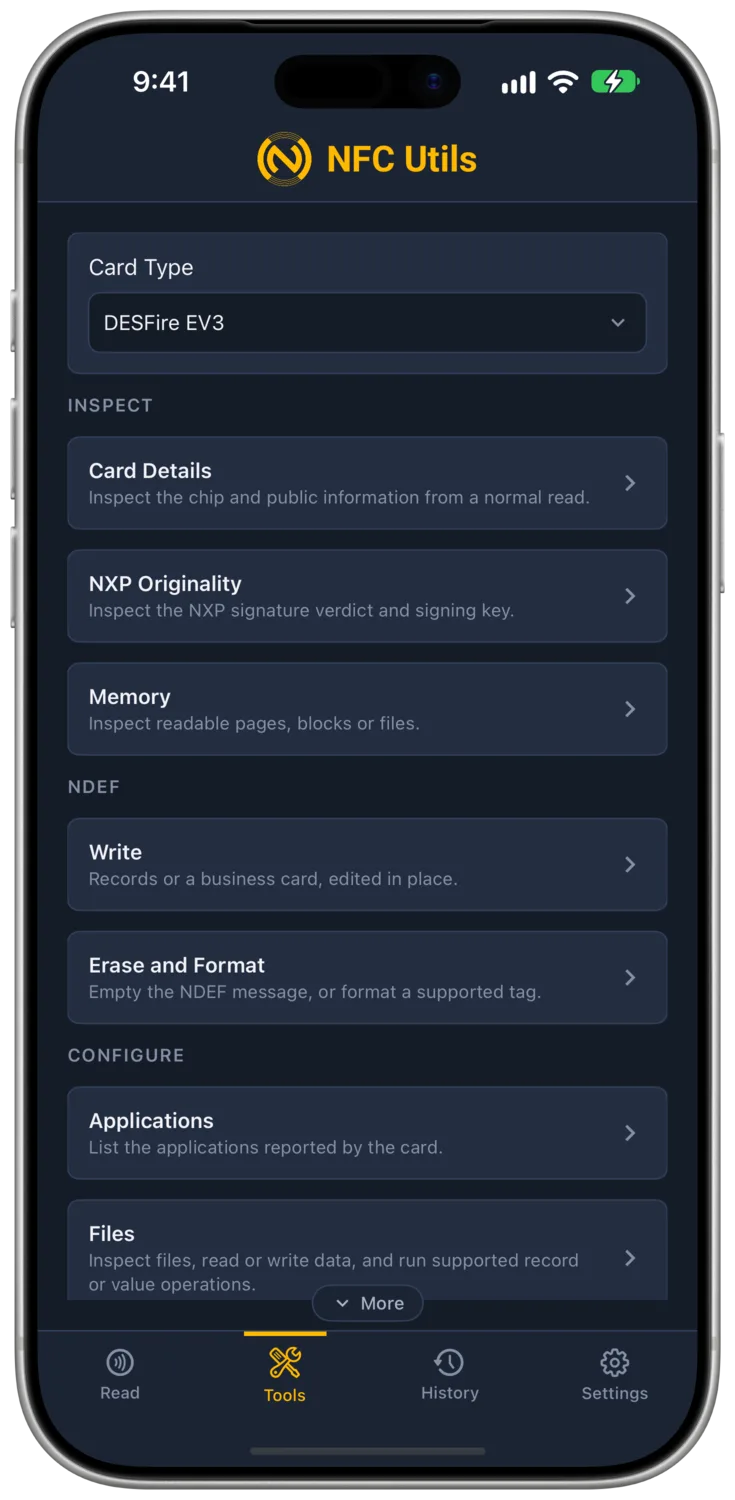
Card Type includes profiles for DESFire EV1, EV2, EV2 XL, EV3, Light, DUOX, Plus EV1/EV2, and generic DESFire or Plus cards. Card Details, Originality, and Raw Commands expose the supported public information.
Originality depends on a readable signature and an available verification key. A successful factory check is evidence about the chip. It does not verify an issuer, prove an account balance, or grant access to protected data.
DESFire EV1, EV2, EV2 XL, EV3, Light, and generic DESFire profiles add Applications, Files, Keys, and Access Rights. They list applications and files and run Create NDEF Application, Read File, Write File, Read Records, Append Record, Read Value, Credit, Debit, Limited Credit, Access Rights, and Change Key. Authentication offers No Authentication, Zero AES Key, or Enter Key with an AES-128 key through EV2First.
The EV1 authentication method is not supported, and neither are DES, 2K3DES, or 3K3DES keys. The app does not change the PICC master key, delete applications, format the card, or create applications and files beyond the NDEF application. DESFire Light has one fixed application. Plus and DUOX profiles offer no application, file, or key tools, and Plus has no Security Level 3 sector authentication or data access. A Plus card accepts Write only when it carries a Type 4 NDEF application. No profile manages a transit purse. NTAG 424’s separate management tools do not apply to a generic DESFire card.
Inspect a Bank Card
Read the account details, payment applications, and counters a supported bank card exposes. The bank card guide explains the normal Read flow, compatible readers, and the limits of the results.
Explore Bank Card Reads →Read an ePassport
An ePassport needs the three fields from its printed machine readable zone before it releases holder data and images. NFC Utils checks the signed files, a supported chip proof when available, and the signer chain separately. The ePassport guide explains the unlock, remembered documents, results, and limits.
Other Cards
Generic Type 4 cards can expose accessible NDEF and card information, plus raw ISO-DEP access. Write and Erase work through the standard NDEF application when its capability container allows free writes. Otherwise the job refuses, because the card requires a card-specific write credential.
MIFARE Classic and Mini add Read Sectors, Edit Blocks, and Value Blocks. These tools take Key A or Key B as 12 hex digits, with Factory Default and NDEF Mapping Key shortcuts. Read Sectors checks the access bits and marks unreadable blocks No Access. Edit Blocks writes 16 bytes and reads them back, and Value Blocks applies a signed increment or decrement and verifies the result. The app never writes sector 0, sector 16, or any sector trailer, so it cannot change keys or access bits. Classic NDEF uses an existing MAD directory and never creates one.
An iPhone never detects a Classic card, so iPhone, iPad, and Mac need a USB or ACS Bluetooth reader with Classic support. Android phones read Classic where the handset supports it, and readers work there as well. Unknown cards show only the identification the reader provides when it has not established a supported command channel.
For other ICODE and ISO 15693 memory inspection, see ICODE and ISO 15693. For public FeliCa purses and systems, see Transit and FeliCa.