
Browse Guides and Sections
Start Here
Card Groups
References
NFC Utils Guide
Readers
Read with the phone’s NFC antenna or a compatible external reader. iPad and Mac use USB or ACS Bluetooth readers.
Phone NFC
On phones, the app starts with the built-in antenna. A remembered external reader takes over once its link is established. If that linked reader disconnects, the phone antenna becomes the fallback.
Auto Read belongs to the Read tab. A tool waits until you press its scan button. The scan sheet tells you whether to hold the card to the phone or place it on the reader. Some information, such as FeliCa PMm, is omitted when the phone platform does not expose it.
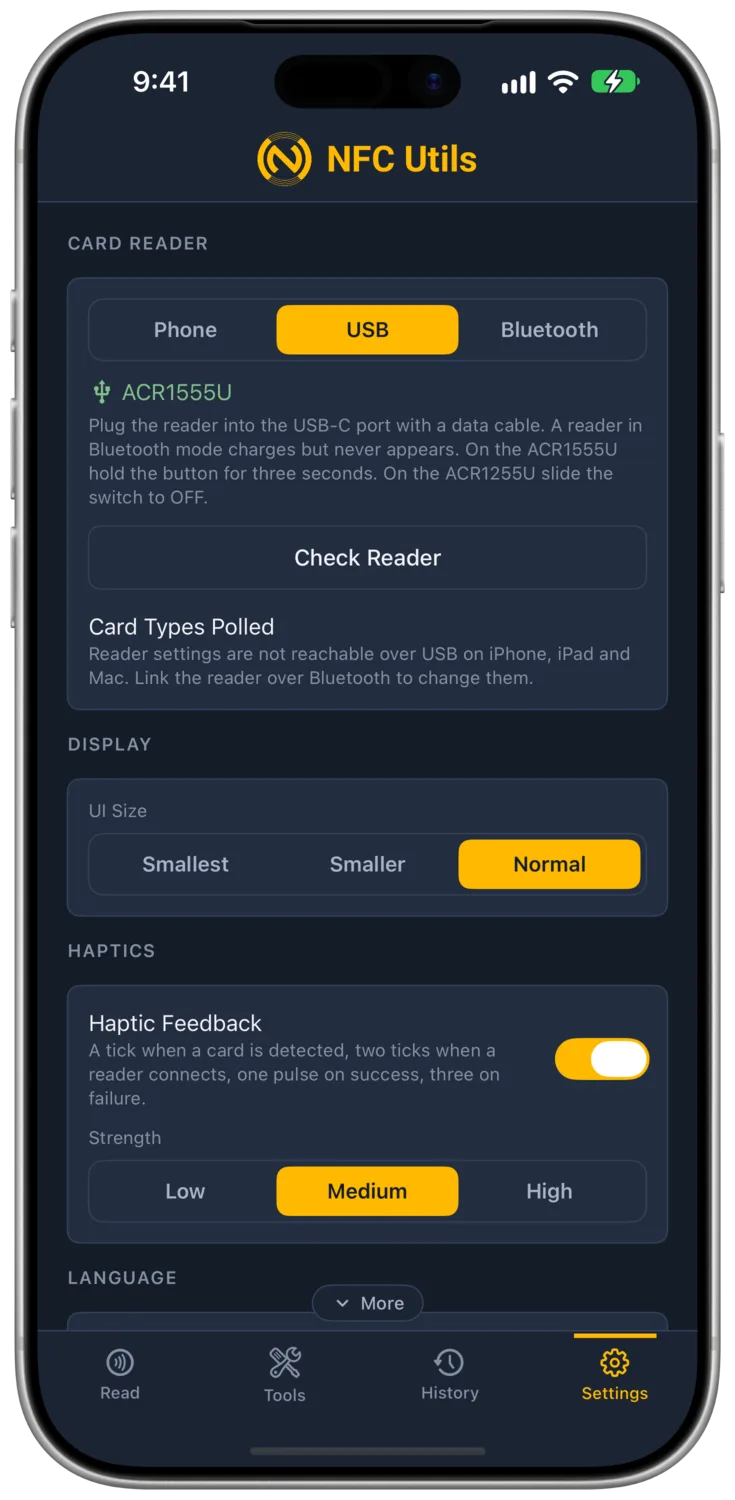
USB
A compatible USB CCID reader connects through the device’s port. The reader identifies the card and the app chooses its command route. Type 2 and ISO 15693 use the supported transparent exchange; FeliCa keeps its length-prefixed frame in a separate reader command. ISO-DEP cards use their available application command channel.
Octopus reads are supported over USB on Apple and Android platforms. Reader polling settings are a separate capability and differ by platform.
ACS Bluetooth
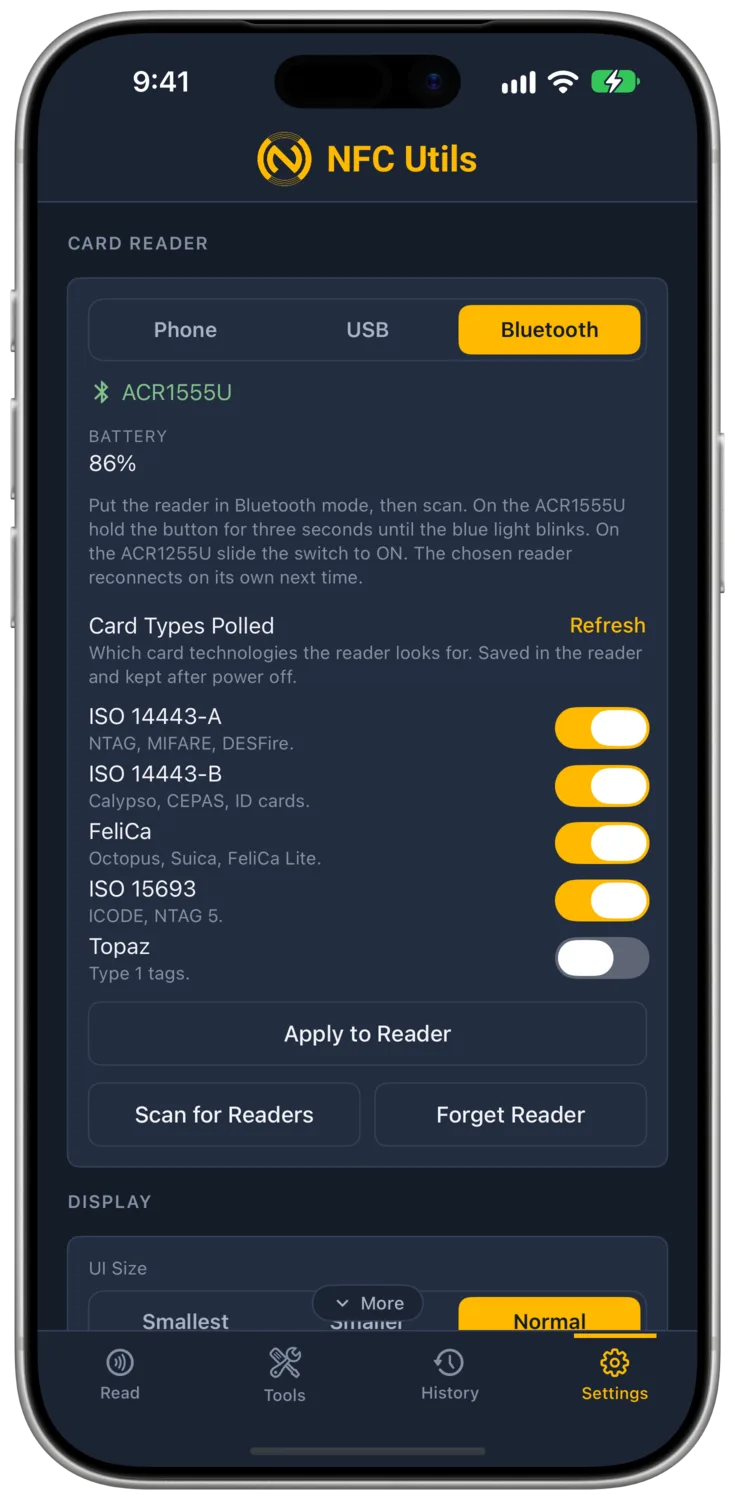
Select a supported ACS Bluetooth reader, such as the ACR1555U, under Settings. The connection status shows the model and whether the app is searching, connecting, or linked. The app retains the connection across source switches and attempts reconnection when it resumes.
Bluetooth supports the same card-specific command routes as a compatible USB reader. Changing the card type in Tools does not reconnect the reader.
Card Types Polled
Supported ACS readers store which card technologies they poll. Card Types Polled reads that setting and lets you change the available switches. The choices depend on the ACR1552/1555 or ACR1252/1255 generation.
Enable FeliCa when you want the reader to detect an Octopus or other FeliCa card. Tools shows guidance when the connected reader is known to have FeliCa polling disabled.
| Connection | Polling Settings |
|---|---|
| Android USB or Bluetooth | Supported ACS polling controls are available. |
| Apple Bluetooth | Supported ACS polling controls are available. |
| Apple USB | The app explains that the reader-settings channel is unavailable. Use Bluetooth to change polling settings. |
The setting persists in the reader and can affect other apps. Apple’s USB settings limitation does not prevent ordinary supported USB card reads.
Reader State
The selected card and connection context remain visible while you choose a tool. When an external source is selected without a live link, card actions show Reader Not Connected until a usable source is available. Offline Decode SDM URL does not need a reader.
On Mac, Tools shows the selected card in its Card Type menu, and the status bar along the bottom reports the reader connection. A card read without NDEF does not create an empty records pane.
Refusals and Lost Cards
Some external readers report a refused command as silence. A rejected Type 2 password is reported without an automatic retry. A silent version probe is not resent; the next command starts after reselection. This preserves the attempt count and lets legacy cards continue where supported.
FeliCa service refusal means that information is unavailable. It does not become a zero balance. A lost card ends the read. SLIX2 password refusal can require lifting the card before another attempt.
Silence can also be a defined answer. ICODE EAS Check reports Off when the card does not return its alarm sequence.